Prices around the world
Is Tax included in the price? A guide across countries
A price on a shelf, menu, website, or quote does not always mean the same thing. In some places it already contains Tax; in others Tax may be added at checkout. This guide explains the difference, compares selected countries using official guidance, and shows how to turn either kind of price into the right SimpleTax calculation.
Price display by country and context
These examples describe the consumer price displays covered by the linked guidance. The actual product, seller, and transaction still matter.
European Union
Tax included for consumer goods
The selling price of goods offered by traders to consumers includes VAT and other taxes. This rule has a defined consumer-goods scope.
EU price indication rulesUnited Kingdom
VAT included in shop prices
VAT due is included in shop prices. Business-only adverts and price lists do not usually include VAT in the amount shown.
GOV.UK: where you see VATSwitzerland
Tax included in consumer retail prices
The retail price for goods offered to consumers includes VAT and other mandatory public charges.
Swiss SECO price guidanceUnited States: California
Tax can be added or included
A retailer may add sales tax reimbursement to a listed price or include it with the required notice. This is one state example, not a nationwide rule.
California tax department guidanceCanada
GST/HST can be included or added
Sellers must tell customers whether GST/HST is in the price or added separately, using a receipt, invoice, contract, or sign.
Canada Revenue Agency guidanceMexico
Displayed consumer price includes VAT
Mexico's consumer agency says the displayed price is the final amount paid and VAT cannot simply be added at checkout.
PROFECO price guidanceAustralia
Total consumer price includes taxes
The displayed minimum total cost of a product or service includes taxes, duties, and unavoidable charges.
ACCC price display guidanceNew Zealand
GST included or clearly explained
Consumer prices must include GST or make its treatment clear. A shelf price is reasonably expected to match the checkout price.
Commerce Commission pricing guideJapan
Tax-inclusive total shown to consumers
For covered advance price displays to consumers, the displayed total includes consumption tax. A before-Tax figure may also appear alongside it.
Japan National Tax Agency guidanceSingapore
GST included in most public prices
GST-registered businesses generally show GST-inclusive public prices. Specific hotel and food-service cases have an exception with disclosure rules.
IRAS price display guidanceUnited Arab Emirates
VAT included in advertised taxable prices
Published prices for taxable supplies generally include VAT, with specific exceptions for exports and VAT-registered customers.
UAE Federal Tax Authority clarificationIndia: packaged goods
MRP includes all taxes
The maximum retail price, or MRP, declared on covered packaged goods is inclusive of all taxes. This does not describe every kind of quote or service.
India packaged goods ruleSouth Africa
VAT included in advertised prices
VAT vendors must include VAT in prices they charge, advertise, or quote for taxable supplies.
South African Revenue Service guidanceWhat Tax-inclusive and Tax-exclusive prices mean
A Tax-inclusive price is already the Total for the stated Tax treatment. The Tax Amount sits inside the number you see. A Tax-exclusive price is Before Tax: the applicable Tax Amount still has to be added to reach Total. The distinction is about which number a seller displays, not about whether the purchase is taxable.
Wording is the strongest clue. “VAT included”, “GST included”, “incl. Tax”, and an Indian packaged good's MRP point toward a Total. “Excluding VAT”, “plus sales tax”, or a clearly marked Before Tax subtotal point toward an amount that may increase. Where a document shows both a subtotal and a Total, compare them before deciding what to enter. Do not infer a Tax Rate from the currency symbol.
Where the displayed consumer price normally includes Tax
Several major markets require a final consumer-facing price in the situations described above. EU rules define the selling price of consumer goods as the final amount including VAT and other taxes. UK shop prices include VAT due, and Swiss retail prices for goods offered to consumers include VAT and mandatory public charges. Australia requires a displayed minimum total cost that includes taxes and unavoidable charges.
Japan requires a Tax-inclusive total in covered advance price displays to consumers; showing a before-Tax figure beside that total is possible. Singapore generally requires GST-registered businesses to display GST-inclusive prices to the public, though certain hotels and food businesses with a service charge have a specific exception. In India, the MRP printed on covered packaged goods includes all taxes. South African VAT vendors must include VAT in advertised or quoted taxable prices, and Mexico's consumer agency describes displayed prices as final prices that include VAT. These are different rules with different scopes, even though the consumer often sees a Total first.
Where Tax may appear at checkout
North American price displays deserve a closer read. California guidance allows a retailer to add sales tax reimbursement to a listed price or include it in the price when customers receive the required notice. That example explains why a US price tag cannot, by itself, tell you the final amount everywhere in the country. The relevant state, local rate, product, and seller's notice matter.
Canada's federal GST/HST guidance also recognises both presentations. Sellers must let customers know whether GST/HST is included in the price or added separately. A sign, contract, receipt, or invoice can carry that information. Seeing Tax on a receipt is useful, but compare the final amount with the advertised price to learn whether it was added on top.
Exceptions that change the answer within one country
A country label is only a starting point. A UK business-only price list may omit VAT even though a shop price includes it. Singapore's public-price rule has a stated exception for some hotels and food businesses that impose service charges. India's MRP rule addresses covered packaged goods, not every service or negotiated price. New Zealand's guidance requires GST to be included or its treatment to be clear, so the actual wording still matters.
Online purchases can add another layer: the buyer's location, delivery, seller, and product can affect the amount charged. Discounts, delivery charges, service fees, exemptions, and several items with different Tax treatments can also make a final bill more complex than one simple percentage. Read the checkout summary or invoice for the particular transaction before treating a number as Before Tax or Total.
How to check a price without adding Tax twice
First identify the displayed amount: is it Before Tax or the Total? Next confirm the Tax Rate for that item and transaction from the seller's information. If the label is Before Tax, multiply by one plus the rate expressed as a decimal to calculate Total. If the label already includes Tax, divide Total by that same multiplier to recover Before Tax; the difference is Tax Amount.
The worked example uses USD 100.00 Before Tax, a deliberately illustrative 10% rate, and a USD 110.00 Total. It shows both directions of the same calculation. The country comparison does not supply a rate for your purchase, and SimpleTax does not choose one. Its role is to calculate the amount you ask for from the numbers you enter.
A worked example
Use an illustrative 10% Tax Rate to compare two labels for the same purchase: USD 100.00 Before Tax and USD 110.00 Tax included. The rate is an example, not a rate assigned to any country below.
Total = Before Tax + Tax Amount
- Before Tax
- USD 100.00
- Tax Rate
- 10%
- Tax Amount
- USD 10.00
- Total
- USD 110.00
A USD 100.00 Tax-exclusive price becomes USD 110.00 after adding USD 10.00 Tax. A USD 110.00 Tax-inclusive price already contains that USD 10.00; divide 110.00 by 1.10 to recover USD 100.00 Before Tax. Adding another 10% to 110.00 would count Tax twice.
Try it in SimpleTax
- Read the price label, receipt, or checkout summary to decide whether the amount is Before Tax or Total.
- Confirm the Tax Rate for this purchase; SimpleTax does not choose it from the country or currency.
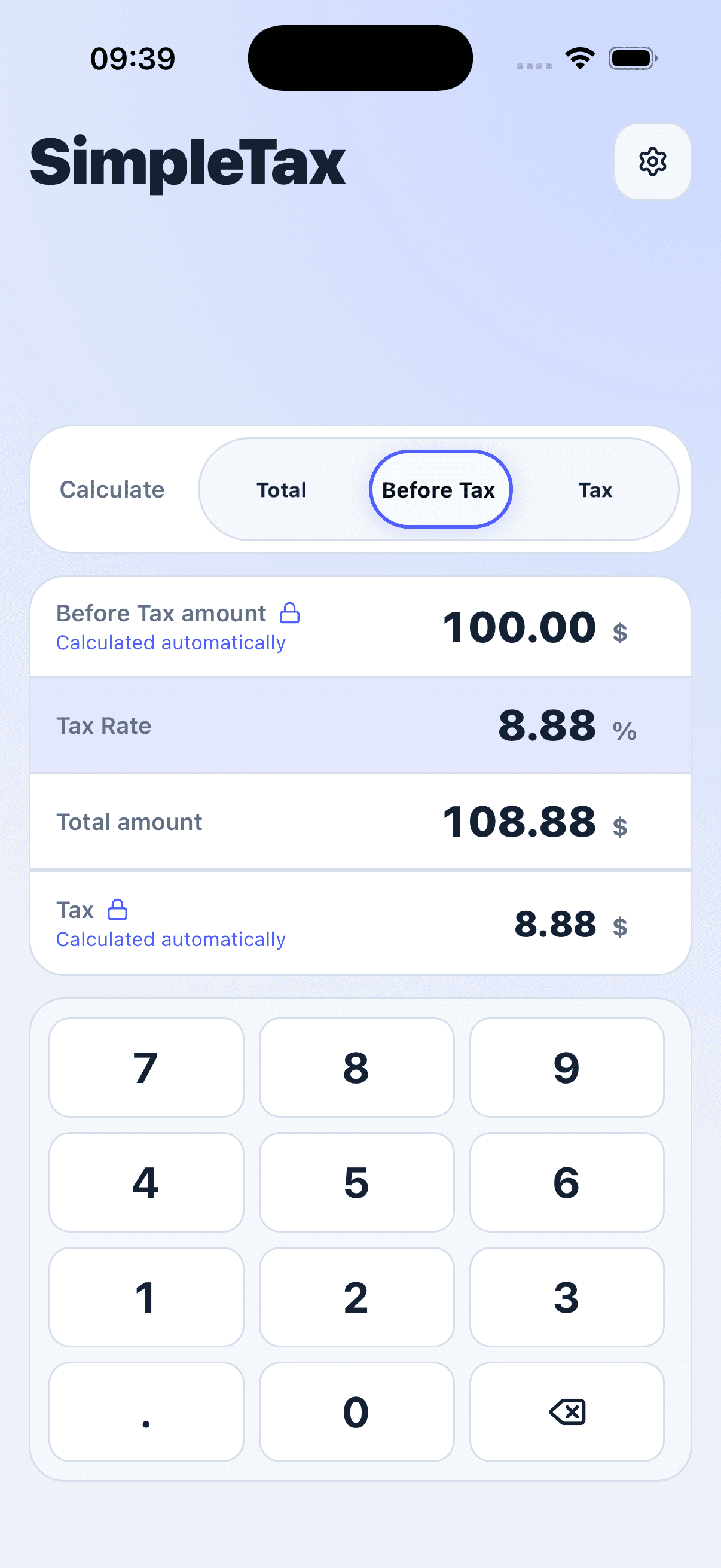
- For a Before Tax price, select Total and enter Before Tax and Tax Rate.
- For a Tax-inclusive price, select Before Tax and enter Total and Tax Rate.
- Check the displayed Tax Amount and Total against the seller's final charge.


Frequently asked questions
Is sales tax included in prices in the United States?
There is no single answer for every state and sale. California permits both an added sales tax reimbursement and a Tax-inclusive price with the required notice. Check the seller's wording and the rules for the place of purchase.
Are VAT prices in Europe already Tax-inclusive?
For goods offered by traders to consumers in the EU, the indicated selling price includes VAT and other taxes. Business quotes, services, and other transactions may have different presentation rules, so read the document in front of you.
Does a separate VAT or GST line on a receipt mean Tax was added?
No. A receipt may show the Tax Amount already contained in a Tax-inclusive Total. Compare the amount paid with the displayed price to see whether Tax was added on top.
Does changing currency in SimpleTax choose the local Tax Rate?
No. Currency selection affects display and rounding. You supply the Tax Rate and decide whether the amount you enter is Before Tax or Total.
Can I recover Tax Amount from a Tax-inclusive price?
Yes, if you know the applicable Tax Rate. Calculate Before Tax by dividing Total by one plus the rate as a decimal, then subtract Before Tax from Total to get Tax Amount.
Scope of this comparison
These are selected markets and transaction types, checked against the linked official sources on 23 September 2026. Price-display rules and Tax treatment can change. Use the seller's current information for the actual purchase; this article explains the calculation rather than deciding a legal Tax obligation.